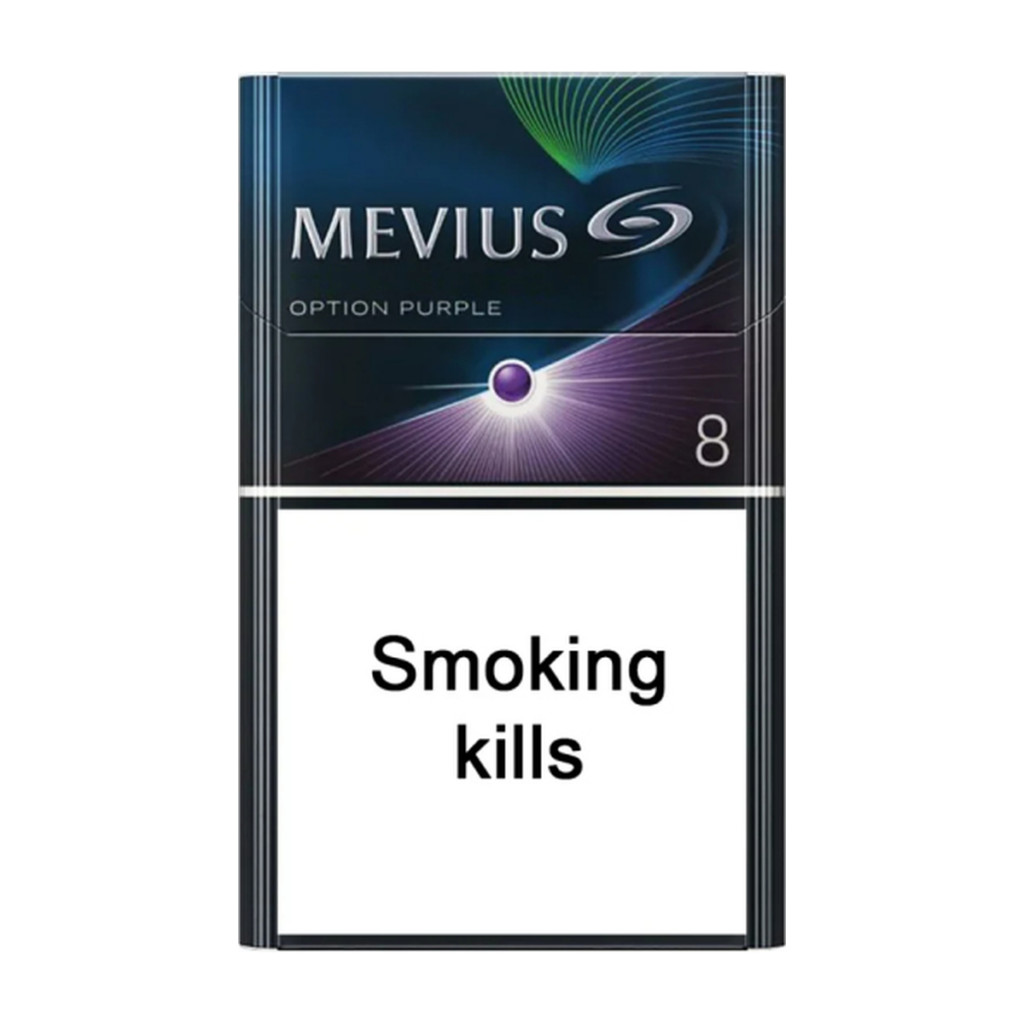
After you submit a Gryveno order, your order record and the live catalogue listing should agree on the full product name, SKU and carton unit. To check, open your order record, open the current product page on gryveno.com and compare the complete name, SKU, sale unit and canonical URL. If the fields match, note the date you checked. If a field conflicts, do not assume which record is correct — record the live values and ask through the Gryveno contact form with your order number. This guide explains that check only; it does not guarantee acceptance, dispatch, delivery or any refund outcome. Adults aged 18 and over only. Tobacco contains addictive nicotine, and smoking causes serious health risks. This is neutral ordering information, not health advice or encouragement to purchase tobacco.
Why the order record and catalogue record should agree
Gryveno’s Terms and Conditions state that the current product and cart pages are the authoritative record at the time of an order, and that availability and displayed information may change. A product name such as “MEVIUS Option Purple 8 – 1 Carton (10 Packs)” is one specific catalogue record, not a generic description. Similar-sounding names can point to different records, and a record can change after your order is placed. Matching each order line to the live record helps you describe the correct item in any follow-up, and it helps support locate the right order and product without guessing.
The check is useful at two points:
- Before you submit an order, it confirms you have selected the record you intend to buy.
- After you submit an order, it tells you whether the live record still matches the order line you confirmed.
What to collect from your order record
Start from the completed order rather than memory. Open the order confirmation or My Account and copy the identifiers you need:
- Order number — keep it exactly as shown; most Gryveno follow-ups ask for it.
- Email used at checkout — the contact page lists this for order enquiries.
- Product line as displayed — copy the full product title, including any edition or strength wording.
- Date — note when the order was placed and when you are checking the live record.
How to match the order line to the live catalogue record
- Open the current product page for the item on gryveno.com. Use the live page, not a saved screenshot or a search result from another retailer.
- Compare the full product name. Shortened names are risky because several Gryveno records look similar; the full title is the reliable comparison.
- Compare the SKU. The SKU is the stable identifier attached to one record. For example, MEVIUS Option Purple 8 – 1 Carton (10 Packs) carries the SKU SS-355 on its product page.
- Compare the sale unit. Gryveno records in this catalogue are listed as 1 Carton (10 Packs); confirm the unit on the live page matches the unit in your order line.
- Compare the canonical URL. The product page URL should stay on gryveno.com.
The listing photograph for MEVIUS Option Purple 8 shows pack text reading “MEVIUS”, “OPTION PURPLE” and “8”, which matches the record name. When the fields match, write the date you checked, for example “checked 19 August 2026”. A dated check is more useful later than a memory of having looked.
What to do when the records conflict
A conflict is a stop point, not an invitation to guess. If the live name, SKU, unit or URL differs from your order record, do not assume the listing was “updated”, and do not substitute a nearby image, price or search result. Treat the live page as the current record, keep a short note of the conflict, and ask through the current contact form with your order number. Include only what is needed: the order number, the exact product name or SKU, and a one-line description of the difference. Do not send payment credentials, passwords or identity documents in an ordinary message.
If the item you receive differs from the confirmed order
The Returns and Refunds page asks you to contact Gryveno promptly if an Australian order arrives damaged, faulty, incomplete or different from the confirmed order record. Provide the order number, the exact product name or SKU, a concise description of the issue and clear photographs when damage or an incorrect item is involved, and keep the item and packaging until support provides the next step. Change-of-mind returns may be restricted for regulated or sealed goods and must be assessed before anything is sent back — do not return a product without receiving instructions and the correct return destination. Remedies for faulty, unsafe, damaged or incorrectly supplied goods are handled consistently with rights that cannot be excluded under the Australian Consumer Law; an approved remedy may be a replacement, refund or another solution appropriate to the issue. This page describes the current process; it does not guarantee any particular outcome.
What this guide does not cover
This guide covers matching records; it does not set delivery expectations. The Shipping Policy says delivery is limited to eligible Australian addresses, the recipient must be at least 18, and processing and delivery estimates are shown for guidance and are not guaranteed. Use the contact form with the order number and delivery postcode if tracking appears delayed or a parcel appears damaged, and do not publish personal delivery information in a public comment or channel. For the rules that apply when you order, review the current Terms and Conditions.